
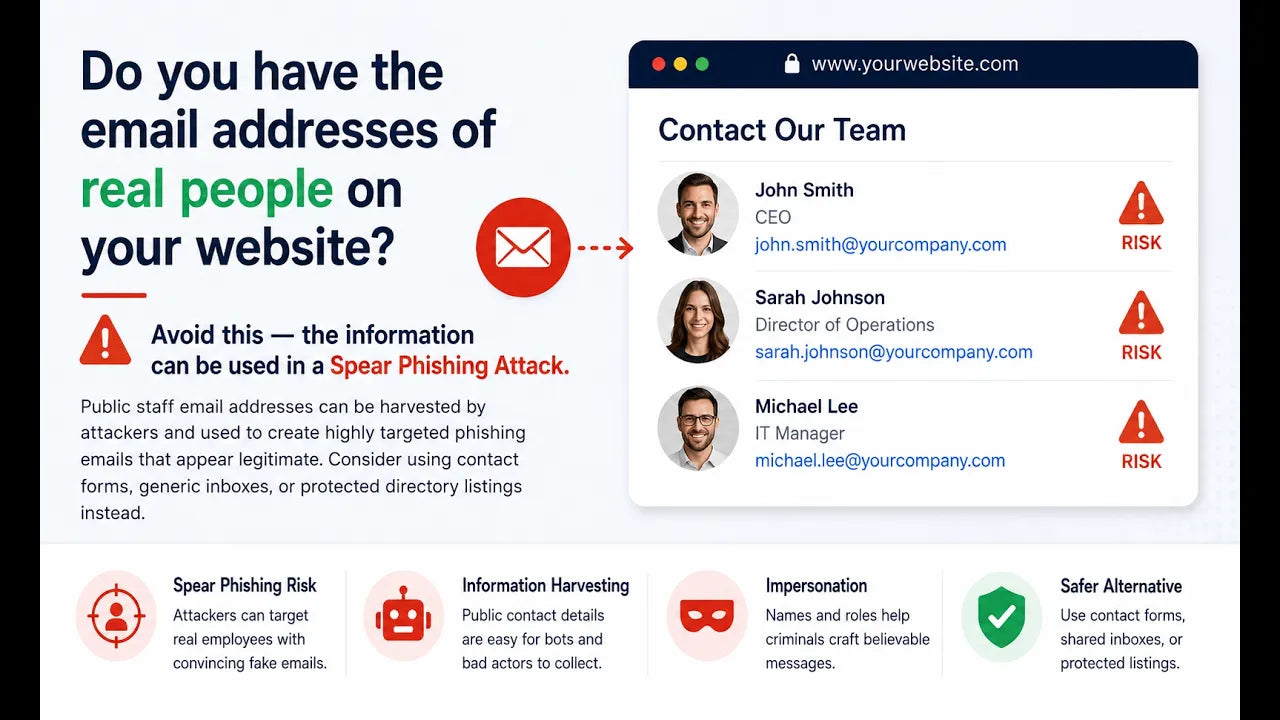
Take a quick look at your company website. Do you have real employee email addresses listed anywhere?
For example:
john@yourcompany.com
mary@yourcompany.com
ap@yourcompany.com with a real person’s name next to it
A staff directory with direct email addresses
If you do, it may be time to remove them.
It may seem helpful to make it easy for customers, vendors, or prospects to contact specific people. But from a cybersecurity standpoint, publishing real employee email addresses can create unnecessary risk.
Why Real Email Addresses Can Be a Problem
Hackers and scammers are always looking for information they can use to make their attacks more believable.
A real employee name and email address gives them a starting point.
If a cybercriminal sees that Dave works in accounting, they may try to send Dave a fake invoice, payment change request, or bank account update.
If they see that Karen works in HR, they may send a fake resume, payroll request, or employee document.
If they know who your leadership team is, they may try to impersonate an executive and pressure someone else in the company to take action quickly.
That is how spear phishing works.
Instead of sending a generic scam email to thousands of people, the attacker uses real information to make the message feel personal and believable.
A Simple Example
Let’s say your website shows that Dave is your accounts payable contact.
A scammer could use that information to send an email that looks like it came from a vendor.
The message might say something like:
”Hi Dave, we recently changed banks. Please send future payments to this new account"
That one email could turn into a serious financial loss if no one stops to verify it. The more information attackers have, the easier it is for them to make the scam sound normal.
Use Generic Email Addresses Instead
Instead of listing individual employee email addresses, use general inboxes such as:
info@yourcompany.com
sales@yourcompany.com
support@yourcompany.com
billing@yourcompany.com
hr@yourcompany.com
These addresses still allow people to reach your company, but they do not expose individual employees as easily.
Generic inboxes can also be monitored by more than one person, routed properly, and protected with better filtering and internal processes.
Do Not Forget Old Web Pages
Even if you remove email addresses from your main contact page, check other places too.
Employee bios, blog posts, old press releases, PDF downloads, event pages, and archived pages may still contain real email addresses.
It is worth doing a quick website search to see what is publicly visible.
Also remember that if those email addresses were already online, scammers may have already collected them. Removing them now still helps, but your team should stay alert.
Train Your Team to Be Suspicious
Removing public email addresses is a good step, but it is not the only step. Your team should still be trained to slow down and verify requests involving:
- Payment changes
- Wire transfers
- Bank account updates
- Password resets
- Payroll changes
- Gift card purchases
- Sensitive documents
- Urgent requests from executives
If something feels rushed, unusual, or financially sensitive, verify it through a separate trusted channel before taking action.
Final Thoughts
Publishing real employee email addresses on your website may seem convenient, but it can make phishing and impersonation attacks easier. Use generic inboxes whenever possible. Remove personal email addresses from public pages.
And remind your team that attackers often use small pieces of public information to build more convincing scams.
At ADS Consulting Group, we help businesses reduce cybersecurity risks, improve email security, and train teams to recognize suspicious activity before it becomes a costly problem.
Need help? Book a free discovery call with ADS Consulting Group: https://www.adscon.com/discovery-call